

By Samipan Bandyopadhyay, developer of Fitto AI
Written by Fitto AI’s developer. Fitto is one of the nine apps below, so read this with that in mind: every row comes from each app’s own US App Store listing, including its list of in-app purchases, or from its own website, read on November 4, 2026. Each app gets the same treatment, including where it is the better pick.
The App Store is crowded with AI calorie trackers for iPhone and iOS, and most of them work the same way: a free download, a camera button, and a subscription screen the moment you use it. So the useful question is not which app is free, but what you can still do in each one without paying.
To make this list, an app’s own App Store listing or website had to say it logs meals from a photo. Calling itself “AI” was not enough, which is why Yazio, whose listing never mentions photo logging, is not here. Nine made it. There are no star ratings or download counts below: they change weekly, and you can see them on each listing.
The short version
| App | How you pay (US App Store) | AI photo logging | Free for good | Best for |
|---|---|---|---|---|
| Fitto AI | No subscription. 5 free AI scans, then one-time packs from $1.99 | Yes, 1 credit per scan | Food search (10,000+ foods), barcode, typed meals, favourites, coach chat | Real free logging, AI only when you want it |
| Cal AI | Subscription, $2.99 to $29.99 | Yes | Not stated | A polished photo-first app, if you’ll subscribe |
| SnapCalorie | 3 free AI logs a day, Premium $9.99 to $149.00 | Yes, LiDAR on Pro models | 3 AI logs a day | The most free AI logs per day |
| MyFitnessPal | Free basic logging, Premium $9.99 to $79.99 | Meal scan on Premium | Database search (20.5M+ foods) | The largest food database |
| Lose It! | Free basic tracking, Premium $9.99 to $79.99, or Lifetime | Premium | Calorie tracking, weight-loss plan | A weight-loss plan, GLP-1 log |
| Cronometer | Free with ads, Gold $10.99 a month or $59.99 a year | Gold | Database search, barcode | Micronutrients, Apple Watch |
| MacroFactor | Subscription only, 7-day trial | Yes | Nothing after the trial | Targets that adapt to your weight trend |
| Foodvisor | Premium $14.99 to $89.99, plus a Max tier | Yes | Barcode, manual logging | Habit building with a game layer |
| Lifesum | Free with limited features, Premium $21.99 to $119.99 | Premium | Barcode, database search | Meal plans with grocery lists |
Price ranges are the lowest and highest subscription prices on each app’s App Store list of in-app purchases. They mix monthly, quarterly and yearly plans and introductory offers, so open the app’s paywall for the price you would actually pay.
Fitto AI: best free option with no subscription
Fitto AI turns a photo of a meal, including restaurant and takeout food, into a list of foods with a portion, calories, protein, carbs and fat for each. You can also say what you ate or type it. If the reading is wrong, you tell it what the food really is and it reads the photo again at no extra cost.
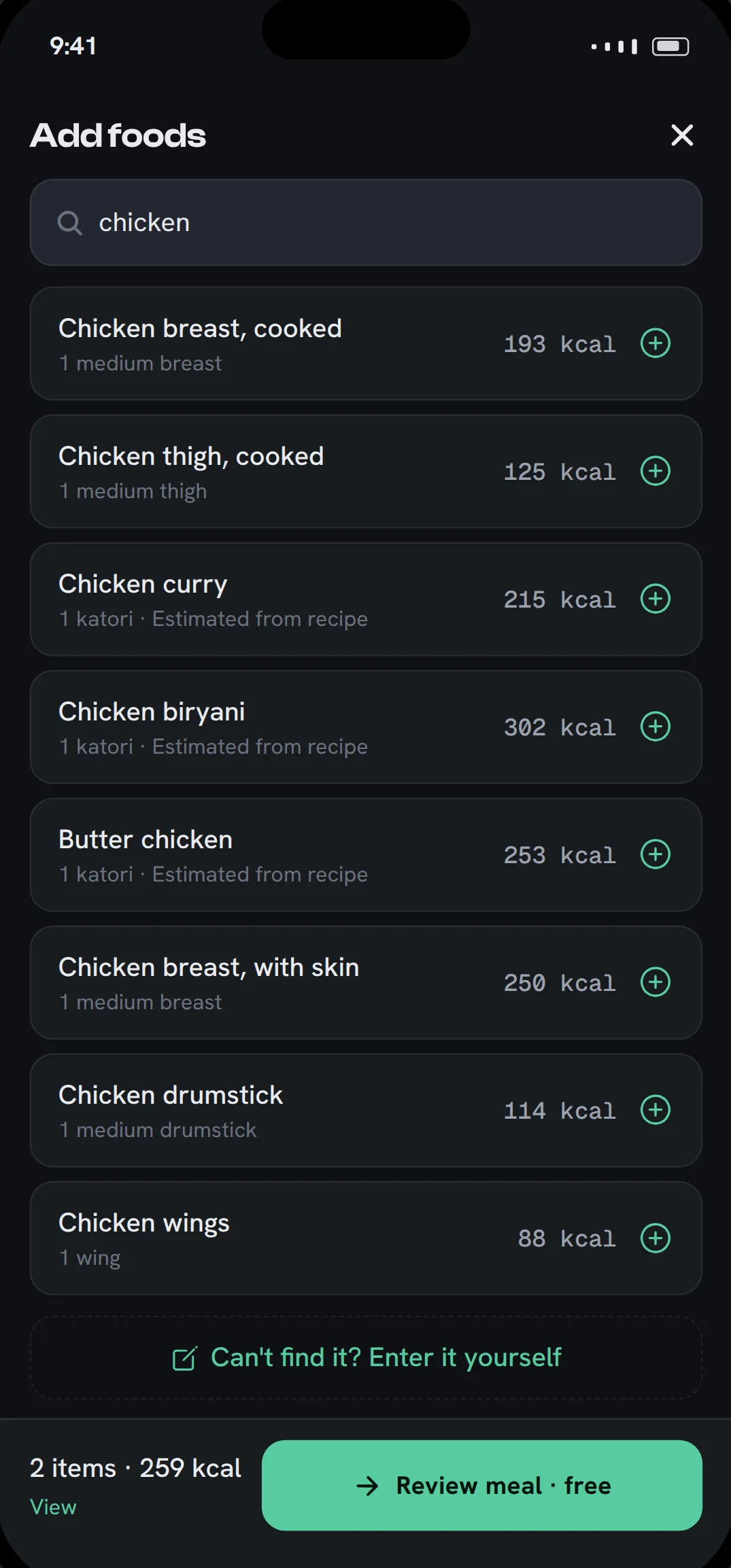
What sets it apart on this list is how much works with no credits at all. Since version 1.1.7 (November 2026) you can search more than 10,000 foods built on USDA FoodData Central data, pick a portion in cups, slices, pieces or grams, and log the meal with its calories and macros. Nothing about that uses AI, so it costs nothing and has no daily limit.
- Free: the download, food search, barcode scans, typing a meal in yourself, one-tap re-logging of favourite meals, the AI coach chat, history and trends, streaks and leaderboards, and 5 AI scans for new accounts. No ads, no card.
- Paid: each photo, voice or AI text scan uses 1 credit. Packs are 50 credits for $1.99, 150 for $2.99 and 500 for $5.99. Credits never expire and nothing renews.
- Worth knowing: Fitto is new and small next to everything else here. It doesn’t sync with Apple Health and has no Apple Watch app. Food search covers generic foods, not brands; use the barcode scanner for packaged food. It needs iOS 15.1 or later.
Cal AI: best if you’re happy to subscribe
Cal AI is one of the best-known photo calorie apps on the App Store. Its listing is three steps: answer lifestyle questions, snap a photo, get your nutritional breakdown. Its FAQ describes connecting it to Apple Health. MyFitnessPal announced in March 2026 that it had acquired Cal AI, which continues as a separate app.
- Free: a 3-day free trial, per its website.
- Paid: a subscription. The listing says “food scanning analysis results require a subscription”, and its in-app purchases are “Unlimited” plans from $2.99 to $29.99, plus a $0.99 streak restore.
- Worth knowing: read the trial terms before you start. In April 2026 Apple briefly pulled Cal AI from the App Store over how its subscription pricing and free-trial toggle were presented, as MacRumors reported. Cal AI fixed the issues and the app returned.
SnapCalorie: best for free AI photo logs every day
SnapCalorie logs from a photo or a voice note and reports calories, macros and 100+ nutrients. On iPhone it has a feature no other app here claims: its listing says it uses the LiDAR depth sensor on iPhone Pro models to measure food volume. It also has a nutrition label scanner and a 500k+ food database checked against USDA data, and it syncs with Apple Health.
- Free: up to 3 AI logs a day, per its FAQ.
- Paid: Premium, from $9.99 to $149.00 on its list of in-app purchases.
- Worth knowing: its listing points to the published Nutrition5k research as the basis for its portion estimates.
MyFitnessPal: best for the biggest food database
MyFitnessPal is the food diary most people know, now with an AI Coach. Its listing puts barcode scan, meal scan (photo logging) and voice logging in Premium, and full meal planning in Premium+.
- Free: searching 20.5M+ foods, including restaurant dishes, and logging by hand.
- Paid: Premium and Premium+, from $9.99 to $79.99.
- Worth knowing: it connects to 40+ fitness trackers, smartwatches and health apps. If you mostly eat packaged and chain-restaurant food you can find by name, a big database can be quicker than a photo. Barcode scanning is not free here.
Lose It!: best for a structured weight-loss plan
Lose It! builds a daily calorie budget and weight-loss schedule, and has added GLP-1 medication tracking. Its listing names photo meal logging, AI voice and the barcode scanner as Premium features, along with macro tracking, intermittent fasting and fitness app syncs including Apple Health.
- Free: calorie tracking, a weight-loss plan and community support.
- Paid: Premium, from $9.99 to $79.99. It is the only app here besides Fitto with a one-time option: “Premium Lifetime” appears in its in-app purchases at $49.99 and $59.99.
- Worth knowing: the free version is a manual calorie diary. Photo, voice, barcode and even protein, carb and fat tracking are on Premium.
Cronometer: best for micronutrients and Apple Watch
Cronometer tracks 95+ vitamins and minerals from a curated database of more than 1.1 million verified foods. Its listing says it syncs with Apple Health and Apple Watch, connects Fitbit, Garmin, Oura and Whoop, and that barcode scanning is free.
- Free: logging by search and barcode, with ads.
- Paid: Gold, $10.99 a month or $59.99 a year, which adds photo and voice logging, a fasting tracker, a recipe importer and Crono Coach, and removes ads.
- Worth knowing: it’s the most detailed tracker here. If vitamins and minerals matter to you more than speed, this is the one.
MacroFactor: best for targets that adapt to your weight
MacroFactor estimates how much you really burn from your food logs and weight trend, and adjusts your calorie and macro targets at a weekly check-in. Its help center describes AI photo logging, a typed or dictated description, barcode and search, export to Apple Health and an Apple Watch app.
- Free: a 7-day trial. The listing says it “does not offer a free subscription tier”.
- Paid: $11.99 a month, $47.99 for six months or $71.99 a year (US prices, per the listing).
- Worth knowing: its listing says the algorithm works just as well when you miss your targets, so an off day costs you nothing. Fitto’s targets also recalibrate from weigh-ins, without a subscription, but MacroFactor’s coaching is the more developed of the two.
Foodvisor: best for building the habit
Foodvisor logs from a photo, your voice, a typed search or a barcode, and syncs with Apple Health. Its listing centres on a “seed” that grows as you complete daily quests, log meals, drink water and move.
- Free: barcode scans and manual logging. Those are the only two ways to log that its terms of use say are open to all users, whether or not they pay.
- Paid: Premium, from $14.99 to $89.99 on its list of in-app purchases, adds full micronutrient analysis, a personal programme, workouts, fasting programmes and recipes. A higher tier, Foodvisor Max, adds an AI coach and meal plans.
- Worth knowing: the terms don’t list photo analysis as free, so expect to need Premium or a trial for it.
Lifesum: best for meal plans and grocery lists
Lifesum logs by photo, voice, typed text or barcode, rates foods, and builds nutrition plans for diets such as keto, paleo and high protein, with meal plans that include grocery lists. Its listing says it imports exercise, weight and steps from Apple Health and writes food, nutrition, water and weight back.
- Free: traditional tracking, including the barcode scanner, which its help center says is “available to all users”. The listing calls the free version “limited features”.
- Paid: Premium, from $21.99 to $119.99. Its help center says “AI Tracking is a Lifesum Premium feature”, which covers photo, voice and text logging.
- Worth knowing: of the subscription apps here, Lifesum’s plan list starts the highest. Open the paywall before you commit to a plan.
Which iPhone calorie trackers are free?
All nine are free to download, but far fewer stay useful when you don’t pay. Here is what still works once a trial ends:
- Logging by database search is free in MyFitnessPal, Cronometer, Lifesum and Fitto, and Foodvisor keeps manual logging free. Fitto’s database is the smallest; MyFitnessPal’s is by far the biggest.
- Barcode scanning is free in Fitto, Cronometer, Lifesum and Foodvisor, and paid in MyFitnessPal and Lose It!.
- AI photo logging comes free in only two forms: SnapCalorie’s 3 a day, and Fitto’s 5 starter scans. After those, Fitto charges per scan rather than per month.
- Nothing at all works after the trial in MacroFactor, and Cal AI’s listing says scan results need a subscription.
Which ones work with Apple Health and Apple Watch?
Most of them do. Fitto AI is the exception: it doesn’t sync with Apple Health yet. Cronometer and MacroFactor are the two with an Apple Watch app on record.
| App | Apple Health | Apple Watch app |
|---|---|---|
| Fitto AI | Not yet | No |
| Cal AI | Yes, per its FAQ | Not stated |
| SnapCalorie | Yes | Not stated |
| MyFitnessPal | Connects 40+ trackers and apps | Not stated in the listing |
| Lose It! | Premium | Not stated |
| Cronometer | Yes | Yes |
| MacroFactor | Yes, per its help center | Yes, per its help center |
| Foodvisor | Yes | Not stated |
| Lifesum | Yes, both directions | Not stated |
“Not stated” means the app’s own listing doesn’t mention it, not that it is missing. If a watch app matters to you, check the App Store page under “Apple Watch”.
Subscription or pay per scan: what does AI logging cost?
Paying per scan costs less unless you scan a lot: at Fitto’s 500-credit price, the $6.00 a month that MacroFactor’s annual plan works out at would buy about 500 AI scans, more than 16 a day. The choice is between a subscription that renews until you cancel it, a daily free allowance (SnapCalorie), a one-time lifetime unlock (Lose It!), and paying per scan (Fitto).
A worked example: say you photograph two meals a day and search or barcode-scan the rest. That’s about 60 AI scans a month.
- On a subscription, the cost is the same whether you log every meal or none. MacroFactor’s annual plan works out at $6.00 a month, Cronometer Gold’s at $5.00.
- On Fitto’s 500-credit pack ($5.99), 60 scans cost about $0.72. On the 150-credit pack ($2.99), about $1.20. The searched and scanned meals cost nothing.
- On SnapCalorie’s free tier, two AI logs a day costs nothing.
How accurate are photo calorie estimates?
Every app here estimates portions from a picture, and mixed dishes, sauces and cooking oil are where estimates miss most. Our guide to how accurate AI photo calorie counters are covers why, and logging without a food scale covers how to keep portion errors small. A quick check of each result does more for your numbers than which app you pick.
If you are on Android, see our Android roundup instead: the apps overlap, but what’s free and what syncs is not always the same.
For what Fitto gives you without paying, in full, see what’s free in Fitto AI and how to log meals with no credits.
Related reading
- Best AI Calorie Tracker Apps for Android (2026)
- Free Calorie Tracker: How to Log Meals With No Credits in Fitto
- How to Count Calories When Eating Out
More from Fitto
- Everything Fitto AI does: photo, voice, text and barcode logging
- Tracking calories for restaurant and takeout meals
- A calorie tracker without a subscription
- How Fitto compares with other calorie tracker apps